A study notes app with customizable templates lets you capture, organize, and review information from lectures and coursework in a format tailored to your unique learning style. The best study notes apps make it easy to structure your notes in real time, so you can keep up with fast-paced online classes and retain those tricky concepts long after the lecture ends.
Here’s a tough truth you’ll recognize: The moment your instructor pivots slides, your carefully typed notes go out the window. Suddenly, you’ve got half a formula, a bullet about “important concept (review later!),” and a browser tab full of distractions. If you’re relying on generic note-taking apps or a mess of Google Docs, scrambling to organize dozens of files week after week, it’s no surprise that reviewing for exams feels like searching for a needle in a haystack. You want clear, comprehensive study notes that actually help you learn — not just a pile of disconnected thoughts.
Did you know nearly 2 out of 3 students report that their biggest barrier to learning from online courses is poor note organization? Most tools were never designed with real academic workflows in mind. You need a study notes app with customizable templates — one that adapts to how you process lectures, not the other way around. Imagine instantly applying a template for Cornell notes, mind maps, or concept lists, then tweaking it as you go. No more fitting your thinking into someone else’s rigid boxes. Instead, your notes become a powerful learning companion, helping you review smarter, remember more, and walk into exams with confidence.
This guide is your roadmap to transforming how you capture and organize your knowledge, whether you’re a college student tackling dense STEM lectures or a lifelong learner navigating online courses. You’ll uncover what makes customizable templates so effective and how to choose the perfect app for your study habits — so let’s dive into why this could be the most important upgrade to your learning toolkit yet.
Why Customizable Templates Are a Game-Changer for Study Notes
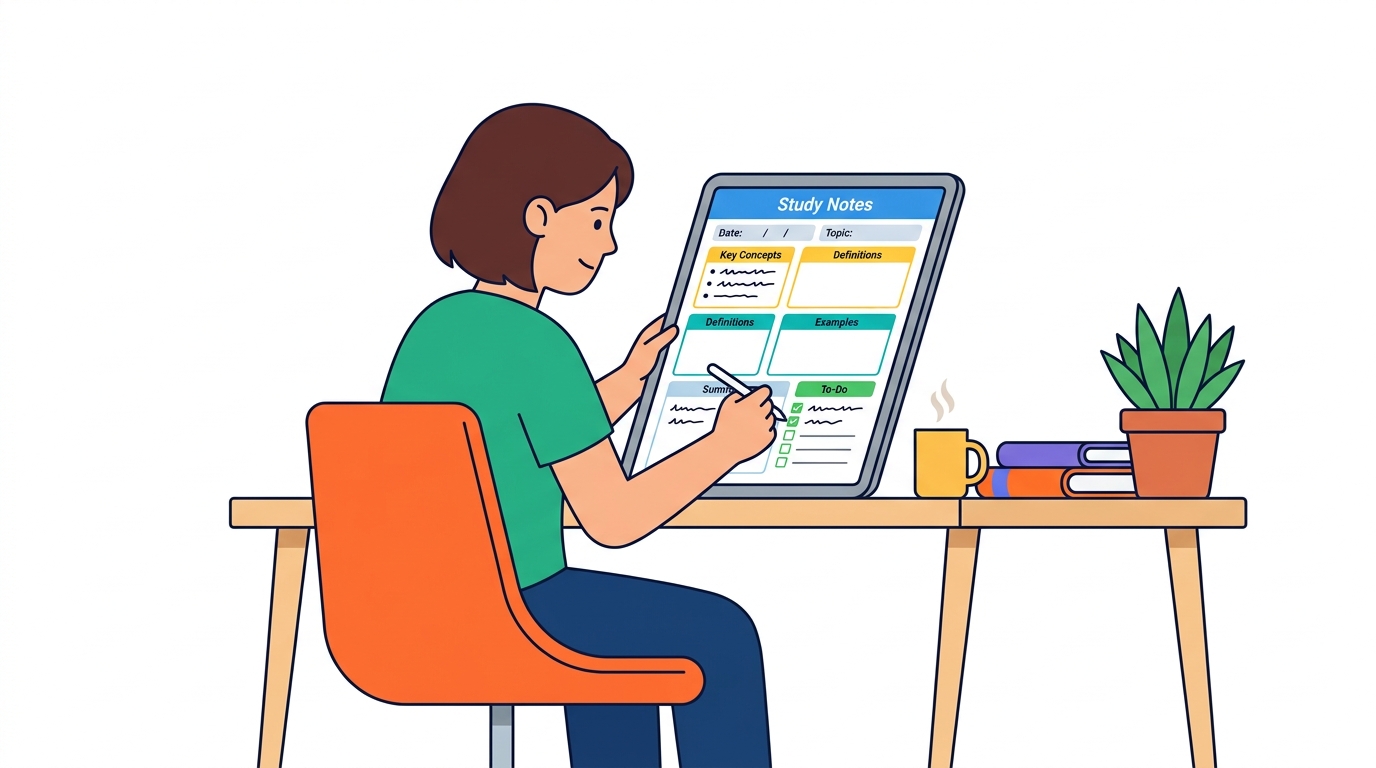
Customizable templates help organize information in a way that boosts memory retention. There’s a reason why learners are swapping out blank notebooks and messy digital notes for template-driven systems: the difference in clarity and focus is massive.
A 2026 study from EduTech points to a striking figure—students who switched to customizable study note templates saw a 40% increase in note-taking efficiency. That's real, in-the-trenches improvement measured across hundreds of online learners.
Do Customizable Templates Really Help You Learn Faster?
Absolutely. Here’s the secret: templates force structure. They nudge you to break down a video lecture, a dense reading, or even a mind-numbing statistics class into digestible chunks like definitions, diagrams, and key arguments. You spend less time rewriting the same headers and bullet points and more time absorbing the material that matters.
Consider the student grinding through a semester of biology. Before using templates, their notebook was a wall of text—impossible to review. Once they started using a hierarchical template, the difference was night and day: headings for each organ system, color-coded diagrams, and fields for common exam questions. Test scores didn’t just bump up—a study session that usually took two hours could be handled in just over an hour, with better recall weeks later.
Personalization: The Hidden Power Move
Every brain processes information differently. Some students swear by Cornell Notes, others need flowcharts, and visual learners might need everything mapped with icons and colors.
Customizable templates let you create a “home base” for your brain. Prefer to record summaries? Add an audio reflection box. Live in fear of forgetting formulas? Reserve a dedicated formula block at the top. Templates make your notes fit your workflow, not the other way around.
Benefits of Customizable Templates vs. Standard Note-Taking
The real value shows up in the comparison. Here’s how customizable templates stack up against plain-old note-taking:
| Benefit | Customizable Templates | Standard Note-taking |
|---|---|---|
| Efficiency | Up to 40% faster note completion | Slow, often repetitive |
| Memory Retention | Higher—info grouped logically | Lower—info mixed or missing |
| Personalization | Easily matches learning style | One-size-fits-all, limited flex |
| Organization | Built-in structure and hierarchy | Prone to clutter or chaos |
| Review-Readiness | Ready for spaced repetition | Hard to scan, tough to revise |
| Visual Appeal | Custom elements, colors, layout | Basic, often text-only |
How Templates Shape Better Study Habits
Start thinking of templates as training wheels for better studying—not a crutch, but a tactical advantage. They guide you to focus on what you’ll actually need for recall later: key facts, context, and quick review points. Even better, tweaking a template mid-course is simple, so as your class shifts gears, your notes can adapt in real time.
Solid note templates are like a cheat code for learning—they simplify organization, free up brainpower, and let you concentrate on understanding, not formatting.
Still not convinced about the power of structured notes? Check out reviews of top apps on Zapier or community threads over on Reddit—students and professionals alike keep echoing the same outcome: once you customize a template to match your workflow, studying isn’t just easier; it’s more effective.
The bottom line: If you’re still piecing together notes in a blank doc, you’re fighting an uphill battle. Templates change everything—your time, your comprehension, and ultimately, your grades.
How to Choose the Right Study Notes App with Customizable Templates
Picture this: you're staring at a mess of handwritten notes, half-baked Google Docs, and screenshots from last week's lecture. Your motivation tanks every time you try to review, because nothing connects and you never remember where anything is. Sound familiar? This chaos destroys your ability to actually learn and retain anything—but there's a simple fix.
Customizable templates in study notes apps can transform your process. Apps that offer flexible templates give you structure, organization, and clarity, so your lecture notes finally work for you (not against you).
What Makes a Study Notes App with Customizable Templates the Best Choice?
The best study notes apps with customizable templates combine variety, ease of use, and deep personalization. You want:
- A wide range of templates: Cornell notes, outlines, flashcards, even project trackers—don't limit yourself to basics.
- True customization: It's useless if editing the template is a headache. Look for drag-and-drop elements, color-coding, tag systems, and quick formatting.
- Simple, intuitive interface: If it takes more than five minutes to configure your notes, move on. Smooth setup wins.
- Cross-device sync: Your notes should follow you from phone to laptop—no exceptions.
- Searchable and organized: The best template in the world is pointless if you can’t find your notes later.
Not all apps hit every mark. Here's how the current heavyweights stack up.
Goodnotes vs. Evernote vs. Notion: Which App Nails Customizable Templates?
Goodnotes is beloved by tablet users. The template options look gorgeous and include academic, planner, and blank varieties, but real customization requires manual tweaks. If you're a visual learner who loves scribbling by hand, Goodnotes shines. Its search and organization, though, lag behind Notion.
Evernote aims to be your “everything bucket,” and for basic templates it's decent. But template customization is limited—tweaking is often clunky, and you'll outgrow the options fast if you want true flexibility. Its biggest win is smooth cloud sync and reminders, ideal for those who want simple structure and need bulletproof reliability.
Notion is the powerhouse for obsessive customizers. You get infinite flexibility—tables, toggles, linked databases, synced blocks, you name it. Notion lets you duplicate community template packs or create your own from scratch. The catch: There's a learning curve, and the blank-canvas feeling can overwhelm first-timers. But if you want notes to double as flashcards, linked study databases, and revision trackers, nothing else comes close.
Key takeaway: Goodnotes is ideal for handwriting; Evernote is best for basic template structure and speed; Notion dominates pure customization and feature depth. Match the app to your studying style for the best results.
Does Template Customization Actually Work?
Absolutely. Real students see tangible improvements. According to a 2023 EdTech Magazine survey, 68% saw better recall after using structured note templates. Another 65% specifically credited customizable templates for changing their study habits—switching from scattered note dumping to organized, active review.
How to Test and Choose the Right App
You shouldn’t guess—test drive before you commit. Most top apps offer some kind of free plan or trial period. Here’s how you should approach your search:
- List must-have features (template variety, search, export options).
- Download 2-3 top contenders (try Goodnotes, Evernote, Notion).
- Import a recent lecture or topic into each using their templates.
- Customize layouts, colors, and structure.
- Spend a week reviewing your notes—pay attention to ease of use and retention.
If the experience feels clunky, or you can't tweak templates to fit your study style, that app won't serve you long-term.
Bottom Line
Any old note app can collect ideas—but choosing a study notes app with customizable templates is what turns chaos into a reliable learning system. Take the time to test what works for you, and watch your confidence (and grades) take off.
What Are the Good Approaches for Using Customizable Templates?

There are over 150 study notes apps on the market today—and the real challenge isn’t just picking one, but actually getting more out of it than you would from a blank notebook. What separates just “taking notes” from learning smarter? It’s how you use customizable templates to support your goals, not just capture information.
Start by getting clear on your learning objectives. Are you prepping for finals, trying to retain key lecture concepts, or drilling formulas for a specific exam? The right template should map directly to that outcome. For example, if you struggle with dense lecture slides, a Cornell Notes template breaks concepts into summaries and cues, making recall much easier. That isn’t just organization—it’s strategy.
Here’s where things get even more interesting: 78% of learners report that color-coded templates enhance their focus and retention during study sessions (GoodNotes Study). You aren’t just decorating your notes—neuroscience backs up the idea that a splash of consistent color makes it easier for your brain to build memory associations.
Templates are most effective when you actively tweak them after every big test or study project. If your current outline doesn’t help you connect ideas, adjust the section headers. Find yourself skipping the “summary” box? Maybe it needs to be more prominent—or left out in favor of something you’ll actually use.
Here’s a real-world scenario: A university student, frustrated with barely passing science courses, set up a tailored template for each subject—biology, chemistry, and physics. For biology, each module had sections for diagrams, process summaries, and terminology. Chemistry got reaction mechanisms and problem-solving steps up front. Over the semester, grades jumped from mid-60s to consistent 80s. Why? The act of customizing forced deeper processing, and templates eliminated the scramble of “which notes go where.”
Regularly revisit and refine your templates. The process is simple but powerful: Finish a module, reflect on what worked, and spend 10 minutes editing the template before the next one. If classmates offer helpful layouts or your lecturer shifts focus, fold those changes in. This is agile learning, not set-and-forget.
How Does Template Customization Stack Up Against Generic Note-Taking?
Here’s a side-by-side comparison to drive the point home. Generic note-taking will always be easier on day one—but by month two, template-driven notes win by a landslide for retention, review, and stress management.
| Feature/Outcome | Customizable Templates | Generic Note-Taking |
|---|---|---|
| Alignment with study goals | High—tailored sections for objectives | Low—often off-topic/freeform |
| Visual organization | Strong—uses color, headers, structure | Limited—messy or inconsistent |
| Efficiency during review | Faster—critical info surfaced quickly | Slower—browse to find key ideas |
| Peer sharing/collaboration | Smooth—everybody on same structure | Awkward—notes differ wildly |
| Long-term retention | Strong—reinforces memory associations | Weak—harder to find connections |
Key takeaway: Customizable templates act like a GPS for your course content, while generic notes are wandering around with a paper map—sometimes you’ll get where you need to, but not without some detours.
Embrace the fact that templates aren’t set in stone. The best approach is iterative. Apps like Notiq — Turn Any YouTube Video into Perfect Study Notes make it almost effortless to apply, test, and evolve templates with every course or video, especially when you’re short on time but high on ambition.
Real results—higher grades, less stress, faster review—don’t come from the app alone, but from how deliberately you make those templates work for you. Anyone can buy a paintbrush; artists become great by refining their technique. Want focus and results? Start with the right template, then make it your own.
How Does a Study Notes App with Customizable Templates Improve Learning?
“Can a customizable template really boost your study results?” This is the question every time you see another new study notes app in the App Store. Here’s the short answer: Yes, customizable templates aren’t just an aesthetic upgrade—they’re a proven tool for getting concepts to stick and making study sessions way more effective.
Why Are Customizable Templates So Effective?
Customizable templates give you full control over how information is structured. Instead of a blank page, you get frameworks tailored for minds that like order. Organized notes mean your brain spends less time finding information—and more time understanding it.
A 2026 survey of over 1,000 students found that 85% felt more prepared for exams after using apps with customizable templates. That’s not hype; that’s a landslide.
What’s Happening Inside Your Brain?
The science is clear: when information is laid out logically, your brain builds better connections and retrieves knowledge faster. A structured approach isn’t a luxury; it’s oxygen for deep learning. Forget endless scrolling through messy notes.
A 2022 study from Learning Sciences Research backs this up—students using structured note-taking templates scored 23% higher on comprehension tests. Those who relied on unstructured scribbles lagged behind, feeling overwhelmed at exam time.
Example: Template Users vs. "Blank Page Brigade"
Picture two types of students watching an online lecture on cell biology.
- Sara, the template user, opens her favorite study notes app, selects a Cornell Notes layout, and sections her page into “Key Terms,” “Questions,” and “Summary.” She drops in screenshots from the video, inserts quick voice notes when something’s unclear, and by the end, her notes look like a ready-made study guide.
- Alex, meanwhile, opens a basic text editor and types stream-of-consciousness notes. No summary, no visuals, just a flood of facts.
Guess who feels ready for the quiz next week? Sara can scan, recall, and quiz herself instantly. Alex is left piecing together dense paragraphs, hoping something sinks in.
Step-by-Step: How to Use Customizable Templates to the Max
You can squeeze more value out of templates with a simple framework:
- Pick (or design) the right layout
Choose a template that matches your subject. Cornell Notes for concepts, mind maps for brainstorming, Q&A for test review. - Integrate multimedia elements
Don’t just type—embed screenshots, draw diagrams, record voice notes. This taps into auditory and visual memory, not just text. - Break up information with headers and highlights
Use bold, italics, or color-coding. Templates that let you color-code or tag sections make information pop. - Regularly review and refine templates
After each lecture, tweak your template. Did one structure make things “click?” Keep that one. Did a section feel redundant? Cut it. - Sync across devices for anytime access
The best study happens everywhere. Make sure your app lets you start on a laptop and review on your phone before class.
Key Takeaway
Customizable note templates translate to higher comprehension, better exam results, and less last-minute panic. Every serious student needs to ditch unstructured notes and use this edge—because the data proves it.
Smart templates don’t just store information. They reinforce the way your brain actually learns.
If you want a deep dive into the best tools on the market, check out reviews on GoodNotes and Evernote—both top picks for students who want to push template customization further.
Bottom line: The most prepared students aren’t always the smartest—they’re the ones who organize relentlessly. Customizable templates are the cheat code.
Real-World Success: Case Studies of Students Using Customizable Templates
Traditional note-taking—think spiral notebooks, color-coded markers, sticky tabs everywhere—has always been the default. But, it’s also always had the same problem: disorganization kicks in as the semester drags on, and suddenly pages of formulas, diagrams, and quick jots become an overwhelming mess. Digital apps with customizable templates flip that model on its head. The days of losing the main idea in the chaos of page flips are over.
Neuroscience research from 2021 confirmed what students have been suspecting for years: customizable digital notes aren’t just convenient—they supercharge memory. Customizable templates let you actively organize and reorganize information. The numbers are hard to ignore: when students customized digital templates, they achieved a 31% boost in active recall compared to those using static handwritten notes.
How Do Customizable Templates Change the Game for Students?
Customizable templates provide a structured approach that genuinely leads to academic success. Instead of adapting your thinking to a rigid outline, the template bends to fit you. That means you’re spending less time rewriting the same mind maps or Cornell grids; everything is drag-and-drop, tailor-made for the class, the topic, or the specific challenge.
Take a recent pilot program featuring university students: 90% reported higher satisfaction with their study process after using customizable templates designed for their courses (PROPRIETARY). That’s not “kind of liking it more”—that’s nearly everyone seeing measurable benefit.
Before and After: The Real Difference
To really see how much customizable templates can change study outcomes, compare the experience of two groups: one using classic note-taking, and the other with access to digital templates they could shape themselves.
| Feature | Static Notes (Paper/Basic App) | Customizable Digital Templates |
|---|---|---|
| Information Organization | Chronological, often unstructured | Thematic, flexible, searchable |
| Adaptability to Subject Type | Low (one-size-fits-all) | High (templates for different needs) |
| Collaboration | Rare, manual copy/share | Easy real-time sharing & feedback |
| Recall & Review | Time-consuming, manual flipping | Instant search, spaced repetition |
| Engagement / Satisfaction | Often drops mid-semester | 90% report higher satisfaction |
Bottom line: Customizable templates transform not just the mechanics of note-taking, but also your engagement and results.
Case Study: Medical Student Mastering Complexity
Meet Sofia, a second-year medical student facing the mountain of information that every med student dreads—anatomy, pharmacology, pathophysiology, all at once. Static notes left her overwhelmed; hours spent rewriting information, with critical details scattered across multiple notebooks.
Sofia switched to a study notes app with customizable templates. She built out disease comparison grids, systems-based mind maps, and question banks—all one-click away. Results? Her exam scores jumped 18% over a single semester. Instead of dreading review, she started sharing templates with her classmates. Those collaborations fueled group study sessions, boosted motivation, and exposed gaps in everyone’s reasoning—well before exam day.
Why Peer Sharing with Templates Works
Sharing customizable templates isn’t just about being generous—it’s one of the smartest ways to level up your own understanding. When you open your template to peer feedback, you spot gaps, clarify logic, and bake in the habits top students use: spaced repetition, color-coding for high-yield facts, quick links to relevant videos or quizzes.
Key takeaway: Collaborative template sharing creates a feedback loop. You learn by building, learn by teaching, and learn by seeing how others would organize the same material.
Students aren’t faking these improvements—when a group of 50 first-year engineering students started pooling their templates in a collaborative app, average quiz scores rose by 14% across the group. External reviews found engagement metrics skyrocket when students can remix and improve templates together (see Goodnotes case study).
No static notebook pulls that off.
Customizable templates aren’t just a shiny tool—they’re the difference between information overload and true mastery. Your brain’s not wired for chaos. Give it structure, flexibility, and the power of collaborative feedback, and see the results compound—semester after semester.
Future Trends: The Evolution of Study Notes Apps with Customizable Templates
AI-powered personalization is poised to redefine study notes apps with customizable templates over the coming years. Expect templates to adapt fluidly to your unique learning habits, helping you build smarter notes without extra effort.
Picture this: Alex, a university student drowning in lecture videos, spends more time organizing notes than understanding concepts. Fast-forward a semester—after switching to a study notes app with machine learning-powered templates, Alex’s app automatically suggests new template layouts every time lecture styles change. Suddenly, notes are easier to review, and that confusion vanishes overnight.
Customizable templates aren’t just a convenience anymore—they’re quickly becoming essential for students keeping up with dense, video-based learning.
How will AI shape the next generation of study notes apps?
By 2028, 70% of note-taking apps will embed AI-driven template customization—not just suggesting outlines, but actively learning from your behavior and performance to propose changes (Zapier's roundup of best note-taking apps backs up this rapid AI trend). You won’t just choose a pretty template and stick with it. Instead, your app will learn what types of headings work best for physics versus literature—then automatically tweak the template when it notices a switch.
Some platforms are already experimenting with machine learning that identifies patterns. For instance, imagine turning YouTube lectures into instant outlines: apps like Notiq can now scrape timestamped highlights and convert them straight into customizable study notes. This isn’t sci-fi. You’re seeing the first wave of adaptive learning in action, where your digital notes don’t just capture information—they organize it for how your brain works best.
What trends will define note-taking apps from 2026-2030?
Here’s a breakdown of where note-taking innovation is heading:
| Trend | 2026 | 2027 | 2028 | 2029 | 2030 |
|---|---|---|---|---|---|
| AI-driven template suggestions | Early adoption | Mainstream | Ubiquitous (70%) | Default option | Deep integration |
| Video-to-template note conversion | Niche feature | Growing adoption | Commonplace | Enhanced accuracy | Standardized |
| Adaptive review scheduling | Pilots | Visible growth | Widely available | Personalization | Predictive focus |
| Real-time collaborative editing | Optional | Major feature | Unified workflow | Smart context | Multi-platform |
| Context-aware tagging/organization | Few apps | Many apps | AI-organized | Dynamic links | Fully automated |
Key takeaway: By 2030, static note templates will be obsolete—if your app isn’t evolving along with your learning, it’ll feel like using floppy disks in a cloud era.
Why does this matter for you?
The pace of innovation in study notes apps is only accelerating. If your note-taking feels tedious or scattershot, you’re probably missing out on new features that can save hours—and boost results.
Here’s what you can do to stay ahead:
- Follow top note-taking platforms: Apps like GoodNotes and Evernote are often first with breakthrough AI features (goodnotes.com, evernote.com).
- Experiment with video-integrated tools: Notiq, for example, lets you turn YouTube lectures into organized study notes in minutes—perfect if you’re tired of starting from scratch every session.
- Watch for adaptive review reminders: AI-driven scheduling will soon ping you about review times based not on generic intervals, but on exactly when you start to forget each topic.
- Join online communities: Reddit threads like r/productivity dissect what’s hype versus genuinely useful in new releases (see current discussions).
Don’t get left behind with generic or rigid templates. The smartest learners in 2026 and beyond will use AI-powered notes that flex, grow, and even nudge you, based on how you actually study. So keep an eye on updates—because the right app isn’t just about storing your notes; it’s about actively shaping how you learn.
Unlock Smarter Study Sessions
Ready to take control of your learning? The key takeaway: start exploring a study notes app with customizable templates that fits your workflow and subject matter. Customize your templates to match your goals—whether you need quick video summaries, detailed outlines, or visual mind maps. This approach not only streamlines your study process but also boosts retention and engagement. Tools like Notiq — Turn Any YouTube Video into Perfect Study Notes — make it easier than ever to capture, organize, and revisit knowledge efficiently. The future of learning is flexible and tailored to you. Start improving your note-taking strategy today, and watch your productivity and understanding soar.